Showing posts with label Powerbuilder. Show all posts

Thursday, February 20, 2025

Powerbuilder 2025 will support ARM machine

Appeon released new information about the upcoming new version of Powerbuilder, which will support ARM processors. Finally!

In the next version of Powerbuilder 2025 R2 / R3, it will supposedly be possible to install on PCs or Notebooks powered by ARM processors such as Snapdragon or Apple Macbook with M chipset series (via VM with ARM version of Windows installed).

Hopefully, we can have all the same Powerbuilder features as the X86/64 version.

You can see the details in the following link: https://www.appeon.com/developers/roadmap

[Updated]

Here's some screenshot of Powerbuilder 2025, installed on Apple Macbook Air M3, via UTM

Installation Process
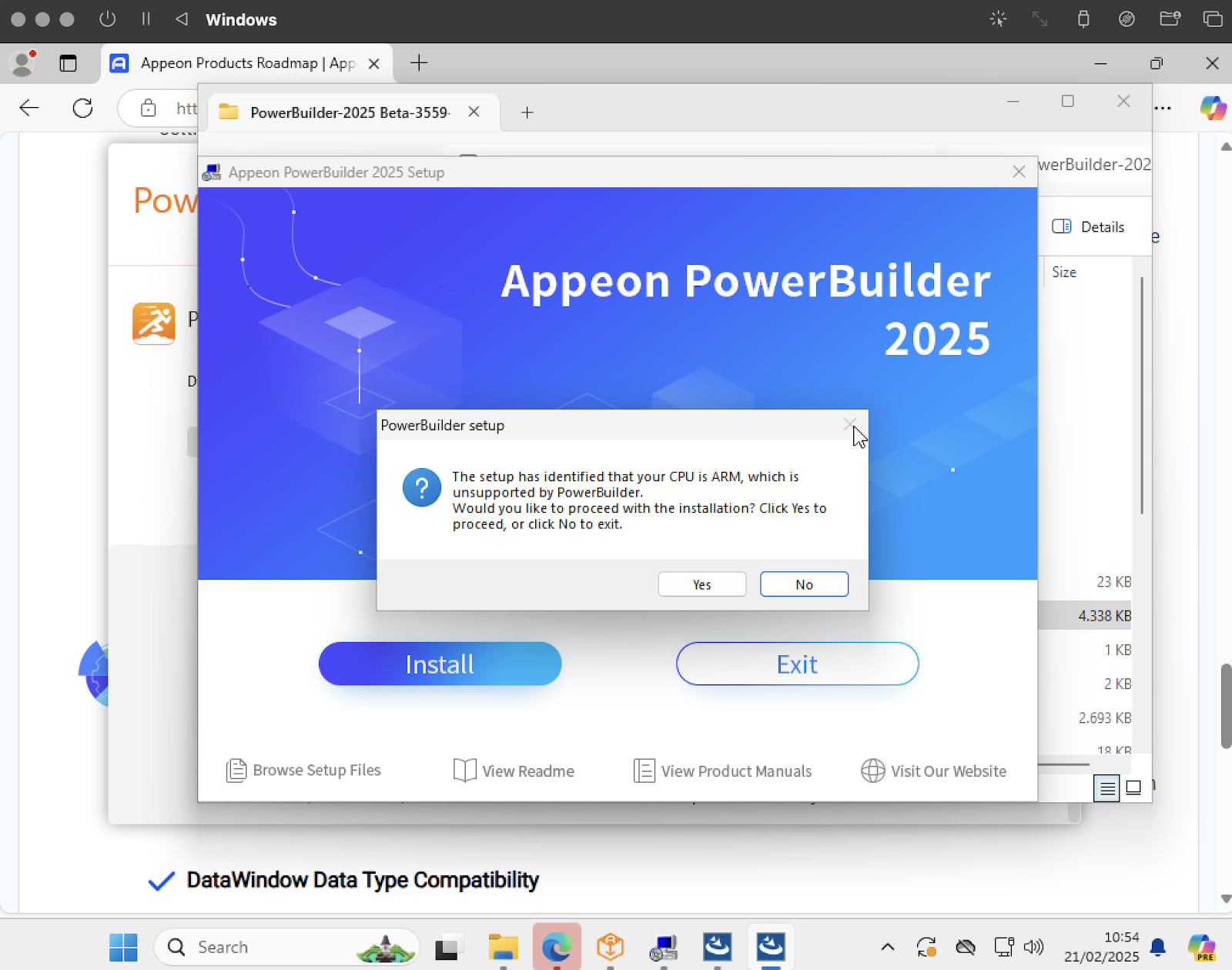
Warning during the Installation
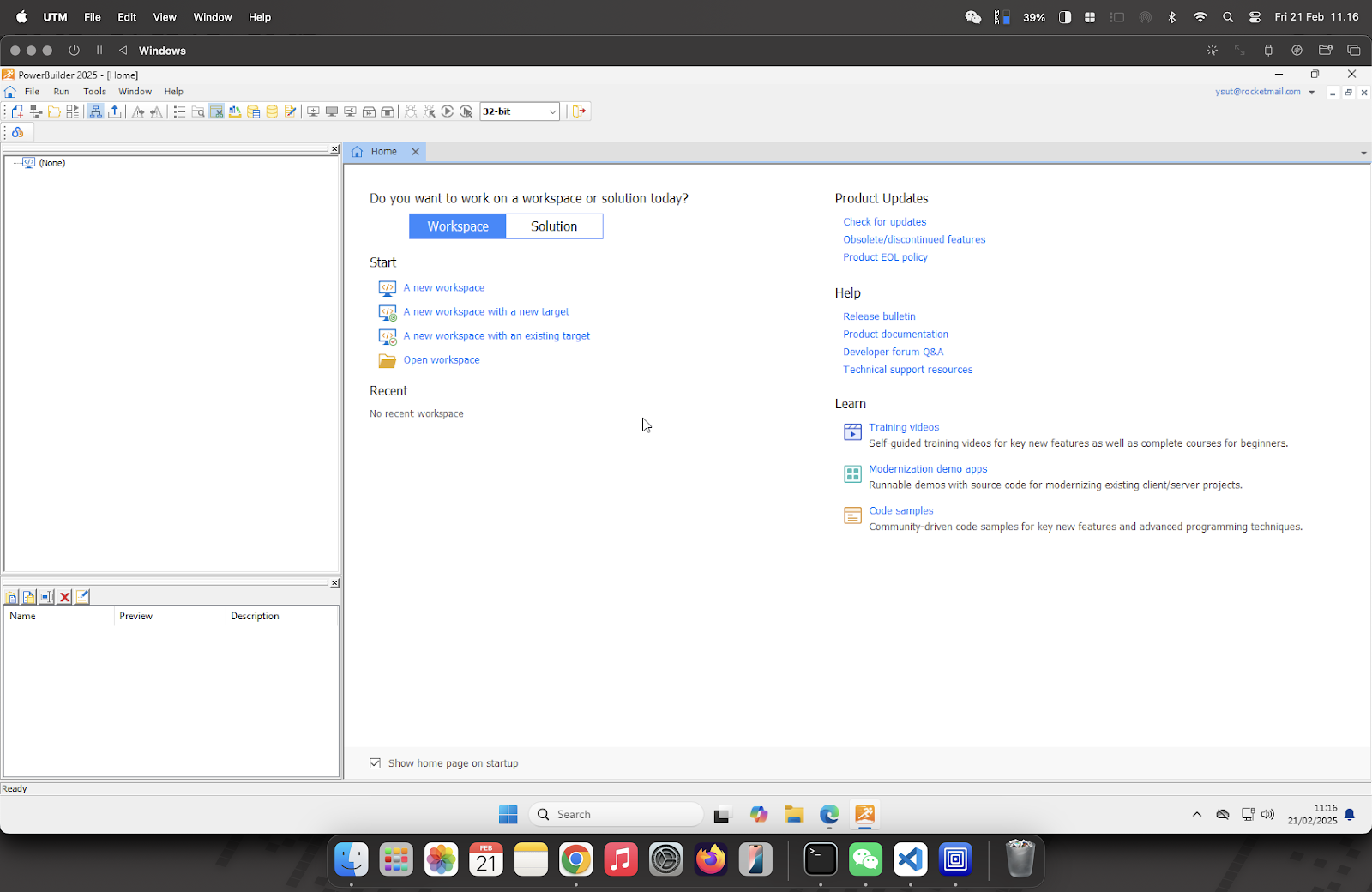
First Running of Powerbuilder 2025

Finish the Regeneration Process from Version 2019

Application Running


Wednesday, September 4, 2024

Powerbuilder for Web Alternative Solution

For Powerbuilder users, since Appeon no longer provides the Powerbuilder for Web feature, the solution below can be an alternative if you want to convert your Powerbuilder application into a Web-based application.

Tuesday, March 7, 2017

Powerbuilder with MySQL Database

One of the easiest way to connect to MySQL DB from Powerbuilder is thru ODBC connection. You have to install latest version of MySQL ODBC Driver  from their official site: https://dev.mysql.com/downloads/file/?id=415028 Download the 32 bits version

Tuesday, August 11, 2015

Installing Ghostscript on Windows 10

One of the lack of Powerbuilder feature or function is the native exporting the datawindow object into PDF format. Yes, you can use the SaveAs function in the datawindow object, but for PDF format, you need 3rd party application called Ghostscript to be installed on your PC.

Wednesday, May 20, 2015

Powerbuilder Function to Check Email Address Validity

This function was made based on Visual Basic scripting. The original was created by Chad M. Kovac, and I tried to translate into Powerbuilder language and fix some minor bugs.

Wednesday, July 2, 2014

Appeon Web for Powerbuilder

Since several years ago, Appeon, 3rd party solution for Powerbuilder which made possibility to deploy the windows based application created by Powerbuilder, into Web-based or even mobile platform.

The first version of Appeon Web for Powerbuilder, was only support for Internet Explorer browser. But now, the newest version can support almost all major browsers such as Firefox, Chrome and even Safari, with only just once deployment step.

See the demo below:


Saturday, June 28, 2014

Fingerprint Verification with Powerbuilder

Mr. Yakov Werde, one of the Powerbuilder guru, shown us how to use a free SDK for fingerprint device within Powerbuilder. He using Powerbuilder version 12.5 and free fingerprint SDK from Neuro Technology.

This video shows how to do it in detail

Thursday, April 3, 2014

Powerbuilder Function to Get Last Date in Month

This function is to get last date in particular month

Create a function named f_lastdate

Specify a date type as return value
Specify a date type parameter name dTgl, then type this script below

1:  integer iMonth, iDate  
2:  iMonth = Month(dTgl)  
3:  CHOOSE CASE iMonth  
4:       CASE 1, 3, 5, 7, 8, 10, 12  
5:            iDate = 31  
6:       CASE 4, 6, 9, 11  
7:            iDate = 30       
8:       CASE 2  
9:            IF isDate( '29/' + String(iMonth) + '/' + String(Year(dTgl))) THEN  
10:                 iDate = 29  
11:            ELSE  
12:                 iDate = 28  
13:            END IF  
14:  END CHOOSE       
15:  dTgl = Date( String(iDate) + '/' + String(iMonth) + '/' + String(Year(dTgl)))  
16:  RETURN dTgl  

To use the function, use this script

1:  Date dLastDate  
2:  dLastDate = f_lastdate(today())  

dLastDate value should be: 30 April 2014, if assume today is 3rd April 2014.

Saturday, January 12, 2013

Web CD Player with Powerbuilder & Appeon

Chris Pollach, one of master of Powerbuilder demonstrated the power of Appeon. Build with Powerbuilder 12.1 and compile to be pure web-based version with the Appeon. He made the CD player application.


Read the full article and download the apps for free.


Monday, December 17, 2012

Appeon Mobile - Beta 1

Just read the first Chist Pollach's 48 hours of experiences using Appeon Mobile Beta 1 on his blog.

Appeon Mobile is the tool which it can migrate your current Powerbuilder application for Windows into Mobile Application and can run at many devices such as iPad, iPhone and Android devices, WITHOUT modifying any scripts inside. Pretty cool heh? :)


Thursday, November 15, 2012

Appeon Mobile Demo Video

Just a couple hour ago, I read Mr. Dave's tweet about Appeon Mobile Demo. It's very incredible product, so easy to deploy mobile application to multi platform operating system like iPhone, Android and Windows Phone, with only single script (Powerscript in Powerbuilder).

Wednesday, November 14, 2012

Webcam with Powerbuilder

Going back to March 2012, someone call Grace posted the script in Powerbuilder about how to using webcam with Powerbuilder, powered by EZTW32.dll

So, I shared the file to all of you, who need also using webcam within Powerbuilder. I didn't her permission to share this, since I assume her already shared in the group. Anyway, thanks to Grace :)

Here's you can download the file: webcam powerbuilder.

Tuesday, October 23, 2012

Wednesday, September 12, 2012

Binary to Decimal function in Powerbuilder

This script below is the user function in Powerbuilder to convert Binary number into Decimal number.

Create function name: f_bintodec, set Integer as return value, and add sBin as parameter. sBin should be String type, and choose Value as Pass By.

Wednesday, September 5, 2012

Calling Web Service from Powerbuilder

On the last post, I explained how to make web service with Powerbuilder. This time I will explain how to access the web service via PowerBuilder. I am using the Classic version of PowerBuilder 12.5.

The scenario is you have a windows application created with PowerBuilder and you want to access a web service over the internet within the Powerbuilder application.

All you need is certainly a web service that is ready to use. You can get it for free on the internet, or create your own web service. In this example I will create a self service web applications using Visual Studio 2008 and run. NET framework 3.5. In the web service, there is a function that we named of_add2value which serves to add 2 numbers through which we put on the parameters of these functions.

Tuesday, July 3, 2012

Picture Control on Grid Datawindow

Anvil-of-time, one of my colleague, expert on Powerbuilder programming, share to us how to using picture control on Grid Datawindow. One of importing feature on grid datawindow is capability to re-size the column width in user side, like what you have see on Microsoft Excel.

And because of re-size feature, when we put the picture control inside the grid datawindow, when we do the column resizing, the picture will stretched following the size of the column.
(c) Anvil-of-time


Let's take a look of the full article of the tips and trick how to using picture control in grid datawindow, by clicking here

Friday, June 15, 2012

PowerBuilder 15 Classic Sneak Preview


Seem, that Sybase will jump directly from 12 into 15 for Powerbuilder.

Frederick Koh explains one of the feature in version 15 for WindowType value called: mdidock! and mdidockhelp! for the window object. Like values mdi! and mdihelp!, respectively, they allow child windows (sheets) to be opened with the OpenSheet functions. But these sheets will behave differently: they can dock, float and be tabbed like the windows you see in our PB.NET IDE. 

Friday, April 13, 2012

Appeon Mobile ?


Just got the invitation from Powerbuilider TV. Interesting topic, about Appeon Mobile. Can't wait for the product, since I always facing difficulties to build the mobile application with Powerbuilder

Tuesday May 15th 2012
at 11:00 AM EST (New York) - 17h00 CET (Paris)

Appeon Mobile Sneak Peek
The first-ever mobility solution for the PowerBuilder community

Thursday, February 16, 2012

Powerbuilder Datastore


Basicly, DataStore is a nonvisual DataWindow control.

DataStores act just like DataWindow controls except that many of the visual properties associated with DataWindow controls do not apply to DataStores. However, because you can print DataStores, PowerBuilder provides some events and functions for DataStores that pertain to the visual presentation of the data.

Why and when DataStore is used?
We use the datastore, if we want to work with the data in datawindow, but only at the background. User doesn't need to see the data itself. Yes, indeed, we can use datawindow also to do that, with disable in the visible property. But, it's mean you need to insert the database control on your application, and also means that the control will always in the memory as long as the application is running. With the datastore, you just need to create the control when is needed, and can be destroyed when no longer needed.

Creating Datastore
First of all, you need the datawindow object. Create the datawindow object, and named as "d_mydatawindow".

1:  // declare the variable  
2:  DataStore dsMyDataStore  
3:    
4:  // create the control  
5:  dsMyDataStore = Create DataStore  
6:    
7:  // assign the datawindow object to datastore  
8:  dsMyDataStore.DataObject = "d_mydatawindow"  
9:    
10:  // bind the data  
11:  dsMyDataStore.SetTransObject(SQLCA)  
12:  dsMyDataStore.Retrieve()  
13:    
14:  // script to process the datastore control, same treatment like datawindow control except the visual functions or properties.  
15:  .....  
16:    
17:  // destroy datastore  
18:  DESTROY myDataStore  

Wednesday, February 15, 2012

How to get screen resolution with Powerbuilder


This is the "old" trick, to get the screen resolution.

I'm using Powerbuilder reserved function, call GetEnvironment, which it can be used for another purpose beside screen resolution.

First of all, we must create a ENVIRONMENT variable like below
1:  environment myEnv  

Then we use GetEnvironment function to get the data(s).
1:  GetEnvironment(myEnv)  

Finally, we retrieve all the Environment objects, depending what kind of information do you need. For this case, I want to show how to get the screen resolution:

1:  messagebox("Screen Resolution",String(myEnv.ScreenWidth) + "x" + String(myEnv.ScreenHeight))  

For the complete Environment Object, you can search the Powerbuilder Help, or see the list below.


Environment property Datatype Description
CharSet CharSet (enumerated) The international character set used by PowerBuilder. Values include:
  • CharSetAnsi!
  • CharSetUnicode!
  • CharSetDBCS!
  • CharSetDBCSJapanese!
The values CharSetAnsiArabic! and CharSetAnsiHebrew! are not valid choices in PowerBuilder 6 or later.

ClassDefinition PowerObject An object of type PowerObject containing information about the class definition of the object or control.

CPUType CPUTypes (enumerated) The type of CPU. For a complete list of CPUTypes values, see the Enumerated tab of the Browser.

Language LanguageID
(enumerated)
Specifies the value of the language setting for the machine. For a complete list of LanguageID values, see the Enumerated tab of the Browser.

MachineCode Boolean Specifies whether the application executable is machine code (compiled). Values are:
  • TRUE – Executable is machine code.
  • FALSE – Executable is not machine code (pseudo-code).
OSFixesRevision Integer The maintenance version of the operating system.

OSMajorRevision Integer The major version of the operating system. For example, this value would be 4 for Windows 95, 98, ME, and NT 4.x, 5 for Windows 2000, XP, or 2003, and 6 for Vista, Windows Server 2008, and Windows 7.

OSMinorRevision Integer The point release of the operating system. For example, this value would be 0 for Windows Server 2008 and Vista, 1 for Windows XP or Windows 7, 2 for Windows Server 2003 and 64-bit XP, and 10 for SunOS 5.10 (Solaris 10).

PBBuildNumber Integer The build number of this version of PowerBuilder.

PBFixesRevision Integer The maintenance version of PowerBuilder.

PBMajorRevision Integer The major version of PowerBuilder.

PBMinorRevision Integer The point release of PowerBuilder.

NumberOfColors LongLong Number of colors on the screen.

ScreenHeight Long Height of the screen in pixels.

ScreenWidth Long Width of the screen in pixels.

OSType OSTypes (enumerated) Operating system or environment. For a complete list of OSType values, see the Enumerated tab of the Browser.

PBType PBTypes (enumerated) Version of the PowerBuilder product. For a complete list of PBType values, see the Enumerated tab of the Browser.

Win16 (obsolete) Boolean Indicates the type of the operating system in which the application executable is running. Values are:
  • TRUE – Executable is running under a 16-bit operating system.
  • FALSE – Executable is running under a 32-bit operating system.